
How to Force a User Offline When the Same Account Logs in Elsewhere
Although this is a personal blog, I actually built it as a full multi-user system. All database operations were designed with multiple accounts in mind, and every place where a username is displayed on the front end is generated dynamically.
So, despite being a personal blog, it is very much a true multi-user platform. The only thing I haven’t implemented is a registration page.
At the moment, there are only two accounts on the site: mine and a “Guest” account. The password for the Guest account is also “Guest”. If you’re interested, feel free to log in and explore with that password.
OK, let’s get back to the topic.
If your project uses Spring Security, this feature can be implemented very easily by configuring an XML file. But my blog project does not use Spring Security—I wrote the entire authentication and authorization system myself. Most authorization features are straightforward and can be done by setting and reading the Session. However, this “force the user offline when the same account logs in elsewhere” takes a bit more work.
Let’s first explain the principal behind how Spring Security implements it.
Spring Security uses a session registry approach. When a user logs in successfully, it records the user’s login/session information in the registry. If the same user logs in again from another device/browser and the previous session has not expired, Spring Security will mark the earlier session as 'expired' and then log out that earlier session (it is marked as 'expired' rather than immediately removed). When the user later sends an authenticated request from the original device, the request can be matched to that 'expired' session information, and the system can return a special “kicked out” response to the frontend.
I didn’t adopt the session registry design because it feels too heavy for this blog project. Instead, I implemented the feature using the database.
My database-based approach
On successful login:
1. Generate a random string using UUID (call it a “device ID”).
2. Store it in two places:
• The database (in the User table)
• The current Session (server-side session storage for that browser)
// 生成唯一的设备ID
String deviceId = UUID.randomUUID().toString();
// 将设备ID保存在新的session中和user记录中
newSession.setAttribute("deviceId", deviceId);
// DB里保存当前的deviceId
userService.updateUserDeviceId(user.getId(), user.getUsername(), deviceId);
On each authenticated request:
• Compare the device ID stored in the database with the device ID stored in the Session:
• If they match, the session is still valid.
• If they do not match, it means the same account has logged in elsewhere, so the current session should be forced offline.
// 获取数据库中的最新 deviceId
String currentDeviceId = userService.findDeviceIdByUsername(username);

// 如果数据库中的 deviceId 不匹配当前会话的 deviceId,说明用户已在其他地方登录
if ( !deviceId.equals(currentDeviceId)) {
    preserveThemeAndInvalidate(session, request);
    return LoginStatus.KICKED_OUT;
}Example:
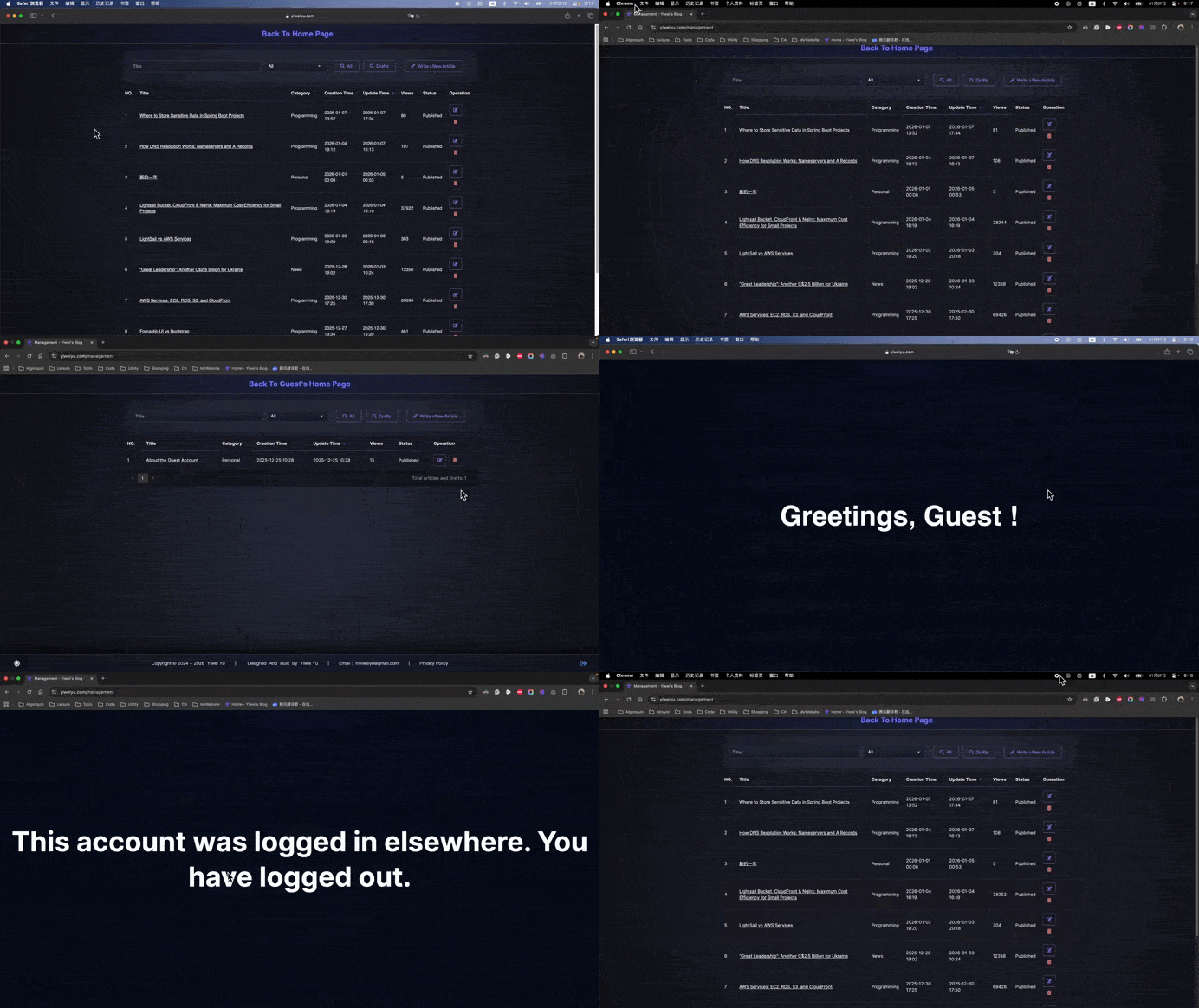
• The user logs in from Chrome. A UUID is generated and stored in both the User table and Chrome’s Session.
• The same user logs in from Safari. A new UUID is generated. The User table’s device ID is updated to the latest value, and Safari’s Session stores the new value.
• Now, the user sends an authenticated request from Chrome. Because sessions are isolated, Chrome still has the old device ID in its Session, while the User table now contains the new device ID. The two values differ, which indicates a login from another device. The server then returns a special “logged in elsewhere” response and forces the Chrome session offline.
One drawback of this approach is that it requires a database read to fetch the device ID on each authenticated request. A basic optimization is to avoid loading the full User entity and instead read/update only the device ID field:
@Query("select u.deviceId from User u where u.username = :username")
String findDeviceIdByUsername(String username);

@Modifying
@Transactional
@Query("UPDATE User u SET u.deviceId = :deviceID WHERE u.id = :id")
void updateUserDeviceId(@Param("id") Integer id, @Param("deviceId") String deviceId);
Additionally, adding a cache layer is also recommended:
@Override
@Cacheable(cacheNames = "userDeviceId", key = "#username")
public String findDeviceIdByUsername(String username){
    return userRepository.findDeviceIdByUsername(username);
}

@Override
@CachePut(cacheNames = "userDeviceId", key = "#username")
@Transactional
public String updateUserDeviceId(Integer userId, String username, String deviceId) {
    userRepository.updateUserDeviceId(userId, deviceId);
    return deviceId;
}