
Where to Store Sensitive Data in Spring Boot Projects
In pretty much any project, you’ll inevitably need to store some sensitive data—things like database username/password, or access keys for an S3 bucket. If you put those directly in your .properties file, they’ll get pushed to GitHub along with your code, which is obviously not what you want.
Spring Boot supports reading external values from environment variables, and that’s a solid approach. However, for local development and testing, I don’t really like dumping more stuff into my global environment variables. My system already has many env vars, and adding project-specific secrets there just makes everything messy and harder to manage.
So here’s the solution I’m using.
Local development & testing
For local development and testing, you can store sensitive values in IntelliJ’s Run/Debug configuration environment variables.
.png)
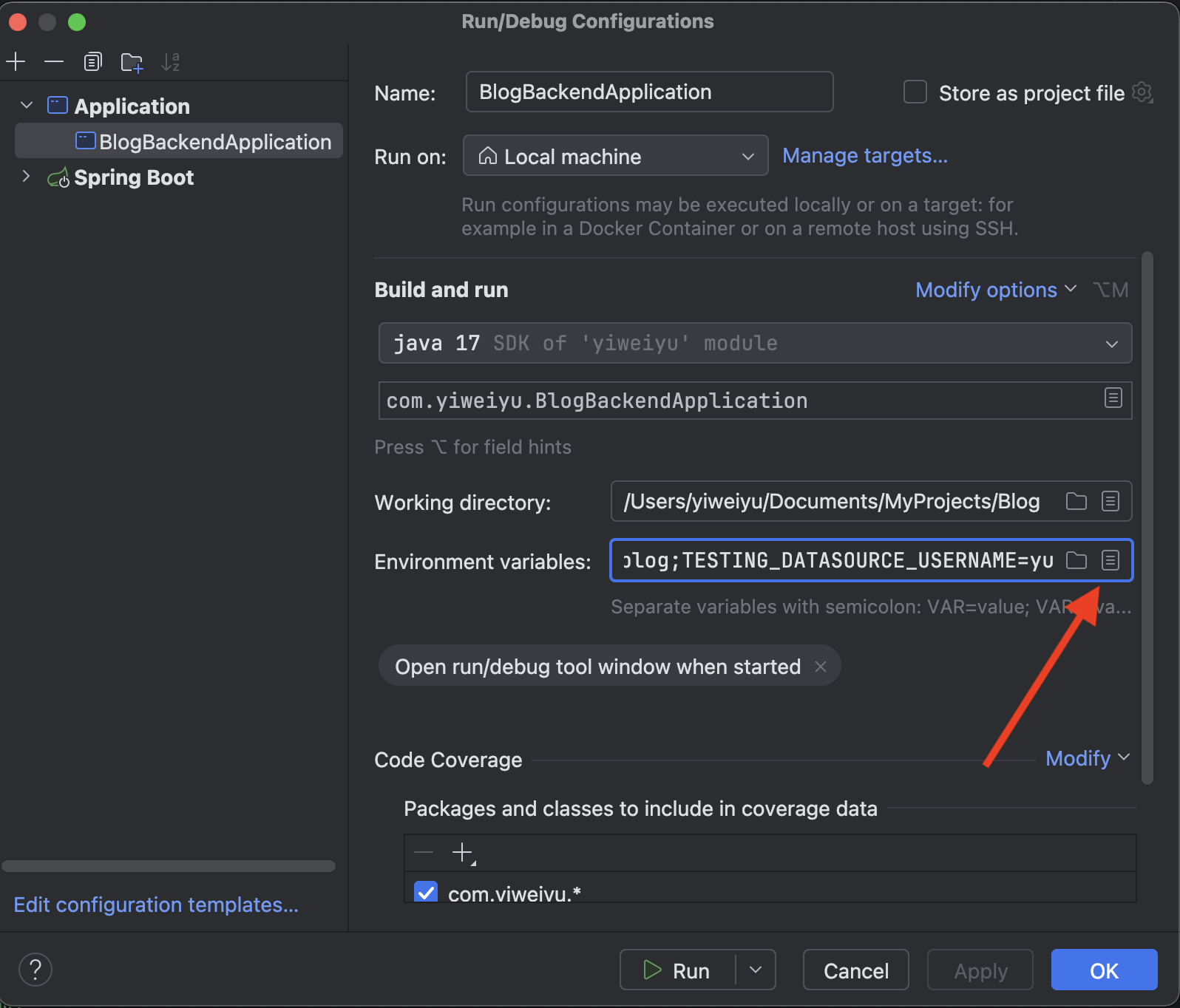
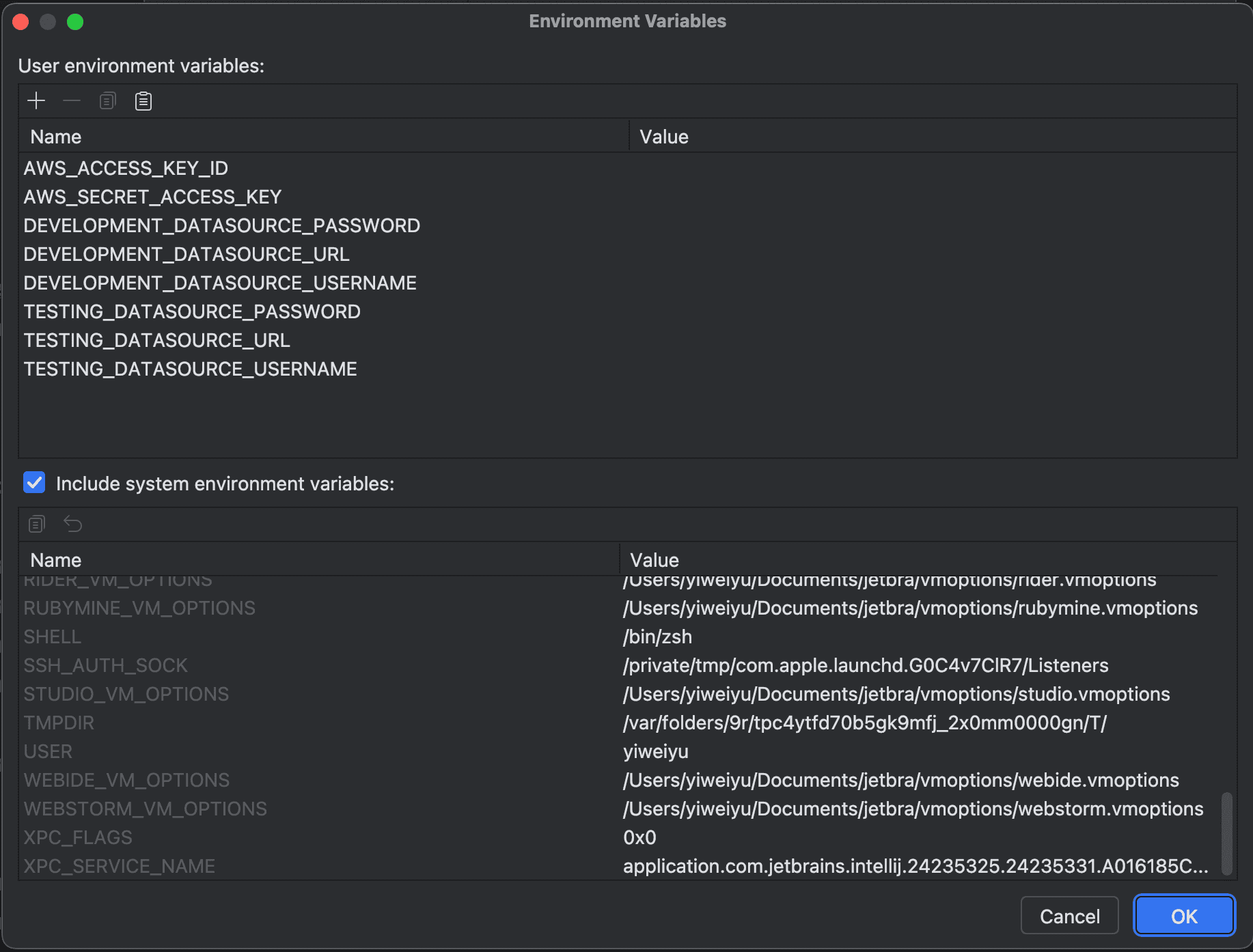
By default, Run/Debug settings are saved in .idea/workspace.xml, which is usually included in .gitignore, so it won’t be committed to GitHub. This makes it super convenient: your secrets stay local, and you don’t have to maintain a separate secret file for every dev machine.
Production environment
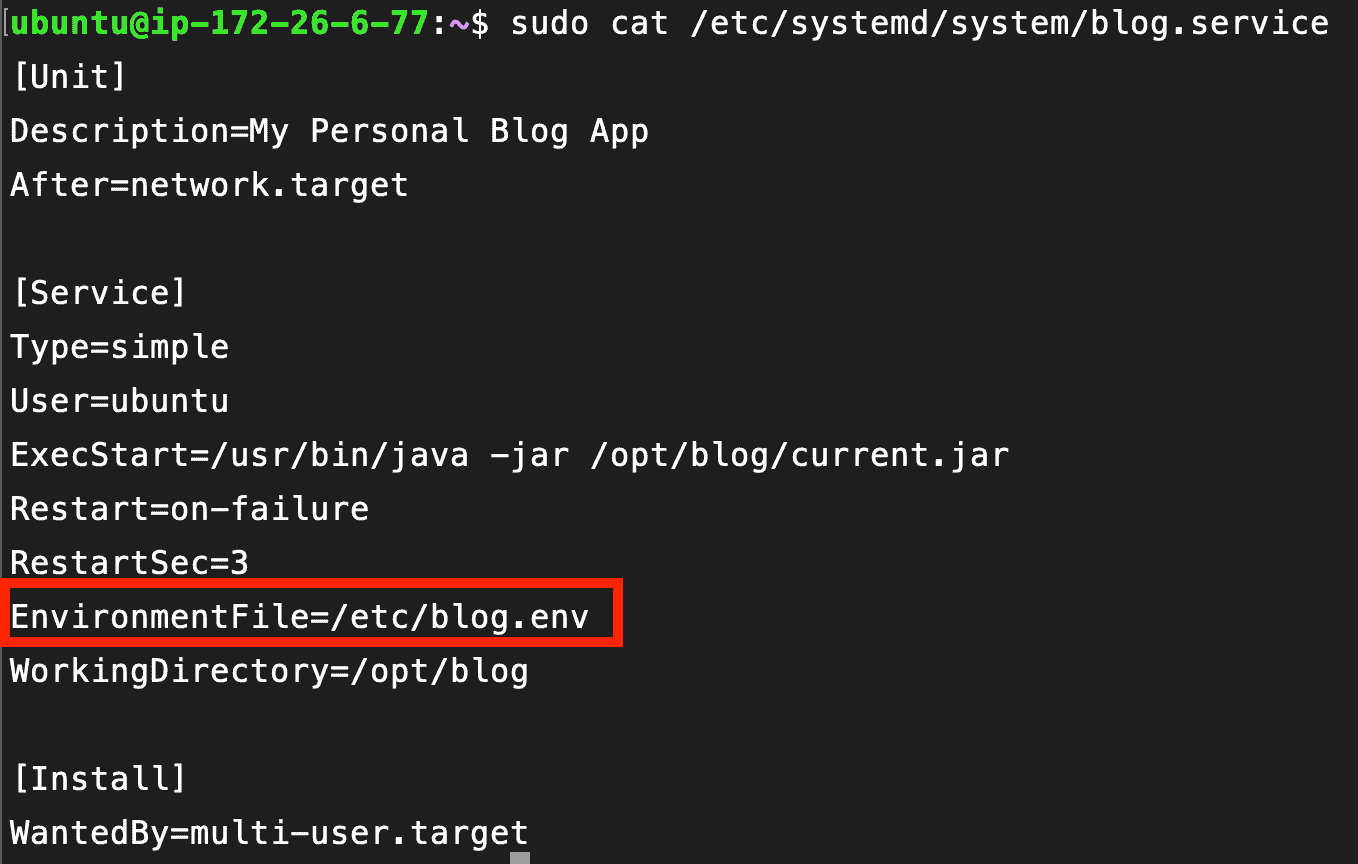
On the production server, set the application up as a system service:
Create a dedicated environment file:
Then create and edit the service file:
Inside the service file, you point the service to the environment file you just created (so systemd loads those variables when starting the app).
Using them in Spring Boot
Finally, in the project’s properties file, just use the same keys. Spring Boot will automatically pick up the corresponding values from the environment.
Overall, it’s simple, easy to maintain, and it keeps sensitive data out of your repository.